

Plugin Installation
Backend
Warning
Backend plugin install and uninstall are available only in development. In production, built-in and verify plugins through the deployment process in advance.
- Open a terminal in the backend project root (ensure the virtual environment is activated)
- Run
fba add -hfor help - Install from a ZIP package:
fba add --path /path/to/plugin.zip - Install from a Git repository:
fba add --repo-url https://github.com/username/plugin.git - To skip automatic plugin SQL execution, add
--no-sql - Check and fix auto-appended environment variables and related config per the plugin README.md
- Restart the service
CLI installation automatically installs plugin dependencies, syncs plugin model tables, runs initialization SQL matching the current database and primary-key mode, and appends the plugin .env.example to backend/.env.
Obtain a packaged plugin zip choose one
Download the plugin repository as a zip
GitHub example
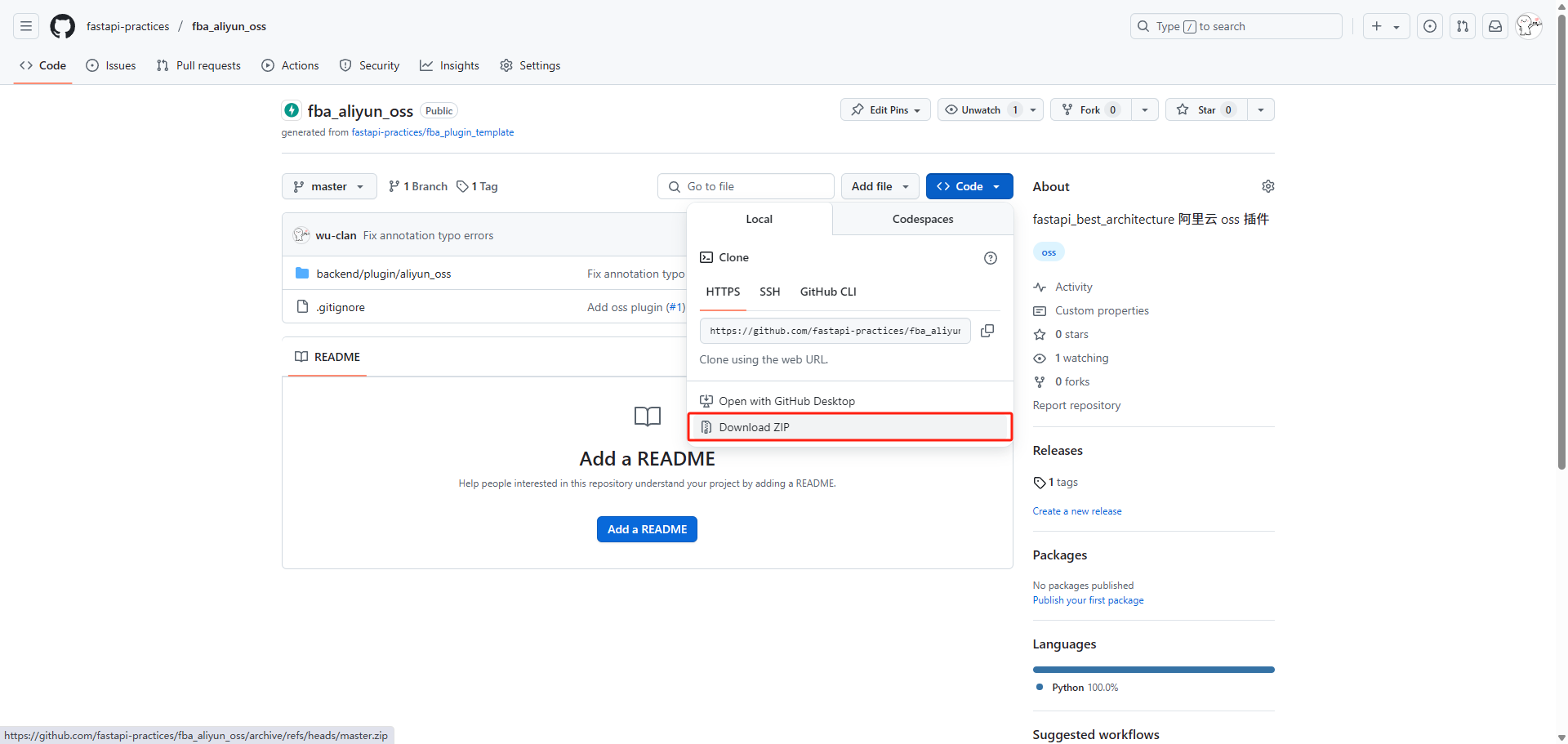
Or a zip downloaded via the fba plugin download API
Confirm the zip root contains
plugin.tomlandREADME.mdInstall the zip via the fba zip plugin install API
Check and fix auto-appended environment variables and related config per the plugin README.md
Complete database initialization per the plugin SQL instructions
Restart the service
The ZIP filename becomes the plugin directory name. Prefer matching the plugin or repository name, and avoid hyphens and other characters that cannot be used as Python package names.
- Obtain the plugin Git repository URL
- Install via the fba Git plugin install API or
fba add --repo-url <repo-url> - Check and fix auto-appended environment variables and related config per the plugin README.md
- If installing via API, complete database initialization per the plugin SQL instructions
- Restart the service
- Obtain and download the plugin repository source
- Copy the source folder into
backend/plugin(the plugin folder name must match the repository name) - Run
fba deps --plugin <plugin>to install plugin dependencies - Add environment variables and related config per the plugin README.md
- Run the matching initialization scripts under the plugin
sqldirectory for the current database type and primary-key mode - Sync plugin model tables or generate migration files
- Restart the service
Warning
For private repositories, embed a token in the URL for authentication: https://<TOKEN>@github.com/username/private-repo.git
Frontend
- Open a terminal in the backend project root (ensure the virtual environment is activated)
- Run
fba add -hfor help - Install from a Git repository:
fba add --frontend --repo-url https://github.com/username/plugin-ui.git - Enter the frontend project root path when prompted
- Configure per the plugin README.md
- Restart the frontend service
Frontend plugin CLI currently supports Git repository installation only. The _ui or -ui suffix in the repository name is automatically removed when installing into the local plugin directory.
- Obtain and download the plugin repository source
- Copy the source folder into
apps/web-antdv-next/src/plugins(remove the_uior-uisuffix from the plugin folder name) - Configure per the plugin README.md
- Restart the frontend service