

Quick Start
Caution
fba is aimed at developers with some Python backend experience. If you are just starting with FastAPI, first get comfortable with Python async, FastAPI, SQLAlchemy, and Pydantic basics.
Local Development
Prepare the local environment
- Python 3.12+
- Install uv (current stable version recommended)
- PostgreSQL 16.0+ or MySQL 8.0+ Use Snowflake primary keysUse MySQL
Redis (latest stable recommended)
Prepare the source code Choose one
Clone the repositorygit clone https://github.com/fastapi-practices/fastapi-best-architecture.gitCreate from templateThis project supports GitHub template repositories. You can create a non-fork personal repository. On the project GitHub home page, use the
use this templatebutton as shown.After creation,
git cloneyour own repository.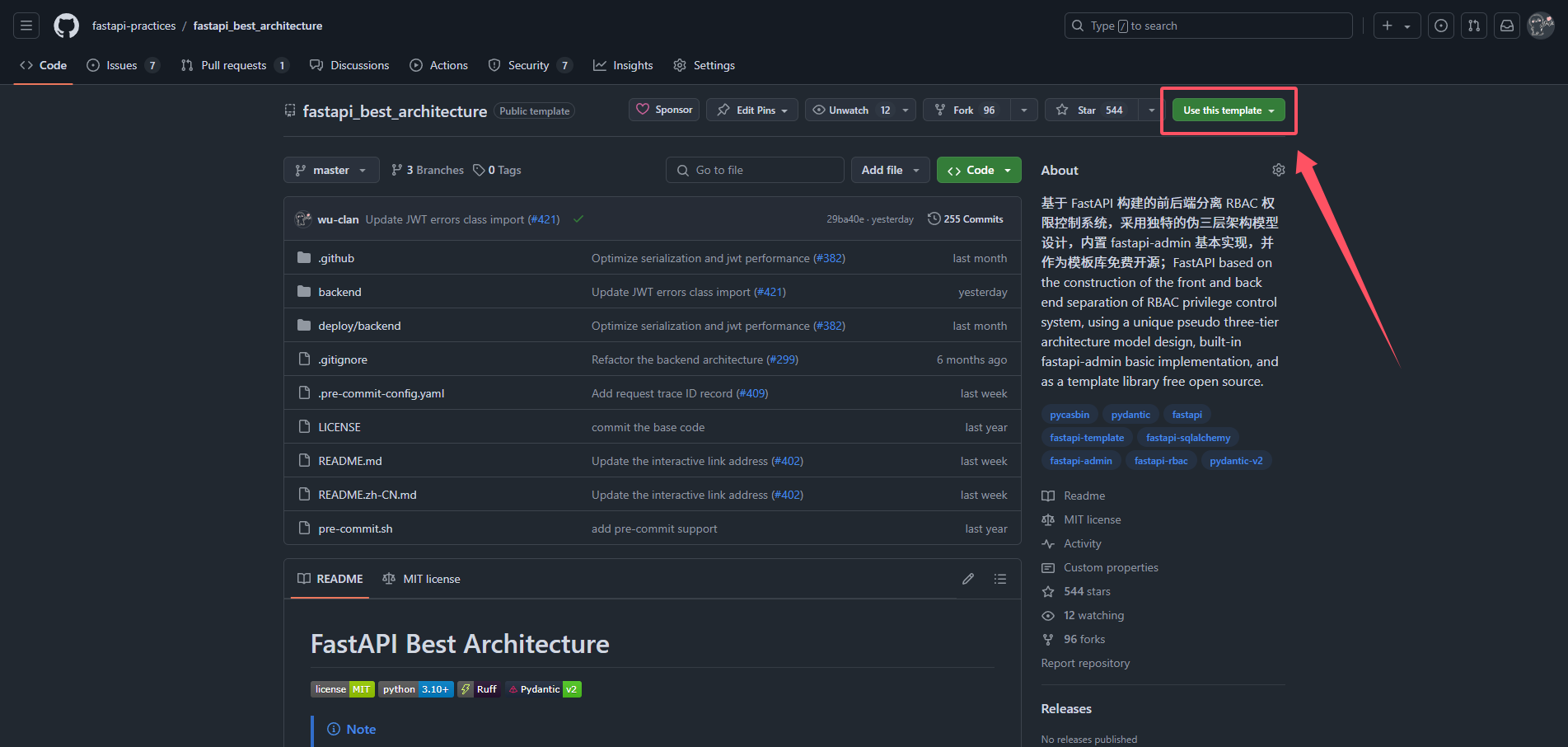
Start PostgreSQL/MySQL and Redis
Initialize
AutomaticOpen a terminal in the
project rootand run:uv run fba init --autoManualCreate the database:
fba- PostgreSQL users can create it directly
- MySQL users should choose utf8mb4 encoding
env
Open a terminal in the
backenddirectory and create the env file:cp .env.example .envAdjust config as needed:
backend/core/conf.pyand.envInstall dependencies
uv - syncuv syncuv - pipuv pip install -r requirements.txtCreate tables and test data Choose one
CLIOpen a terminal in the
project root(with the virtualenv activated) and run:fba initAlembic + ManualOpen a terminal in the
project root(with the virtualenv activated) and run:Generate a migration file
fba alembic revisionApply migrations
fba alembic upgradeInitialize test data
Architecture: run the primary-key mode scripts under
backend/sql/{mysql|postgresql}/Plugins: run the primary-key mode scripts under
backend/plugin/{plugin}/sql/{mysql|postgresql}/fba --sql path/to/script
Start
Open a terminal in the
project root(with the virtualenv activated) and run:fba runStart Celery worker, beat, and flower Optional — you can skip this
Open a terminal in the
project root(with the virtualenv activated) and start Celery services:Workerfba celery workerBeatfba celery beatFlowerfba celery flowerWarning
If these commands have never been run, task-result tables will be missing. Any API that depends on task results will fail until worker and beat have been started at least once, after which those APIs recover automatically.
Open the browser: http://127.0.0.1:8000/docs
Development Workflow
Tips
When using AI-assisted development, install fba skills first, then generate or review code in the order of model, schema, router, service, and crud.
Note
For reference only — follow your own development habits in practice.
Unit Tests
Info
Unit tests are run with pytest. The project only provides basic test examples, not a full business suite. Add cases as needed for your domain.
Create the test database
fba_testwith utf8mb4 encoding (PostgreSQL users can ignore encoding)Create tables: export DDL for all tables from the
fbadatabase, then apply it tofba_testInitialize test data using scripts under
backend/sql/{mysql|postgresql}/for the matching primary-key modeOpen a terminal in the project root and run:
pytest -vs --disable-warnings