

Sharing Plugins
To share a plugin with others, you must create a public GitHub repository for it.
Backend
Plugin repository naming rules
plugin name == repository name → ai == ai
Plugins are always unique. Installing plugins with the same name is not allowed, so keep plugin names as distinctive as possible.
Create the plugin GitHub repository
Prefer creating it from fba_plugin_template. The template currently has little substantive content — it mainly associates the plugin with fba.
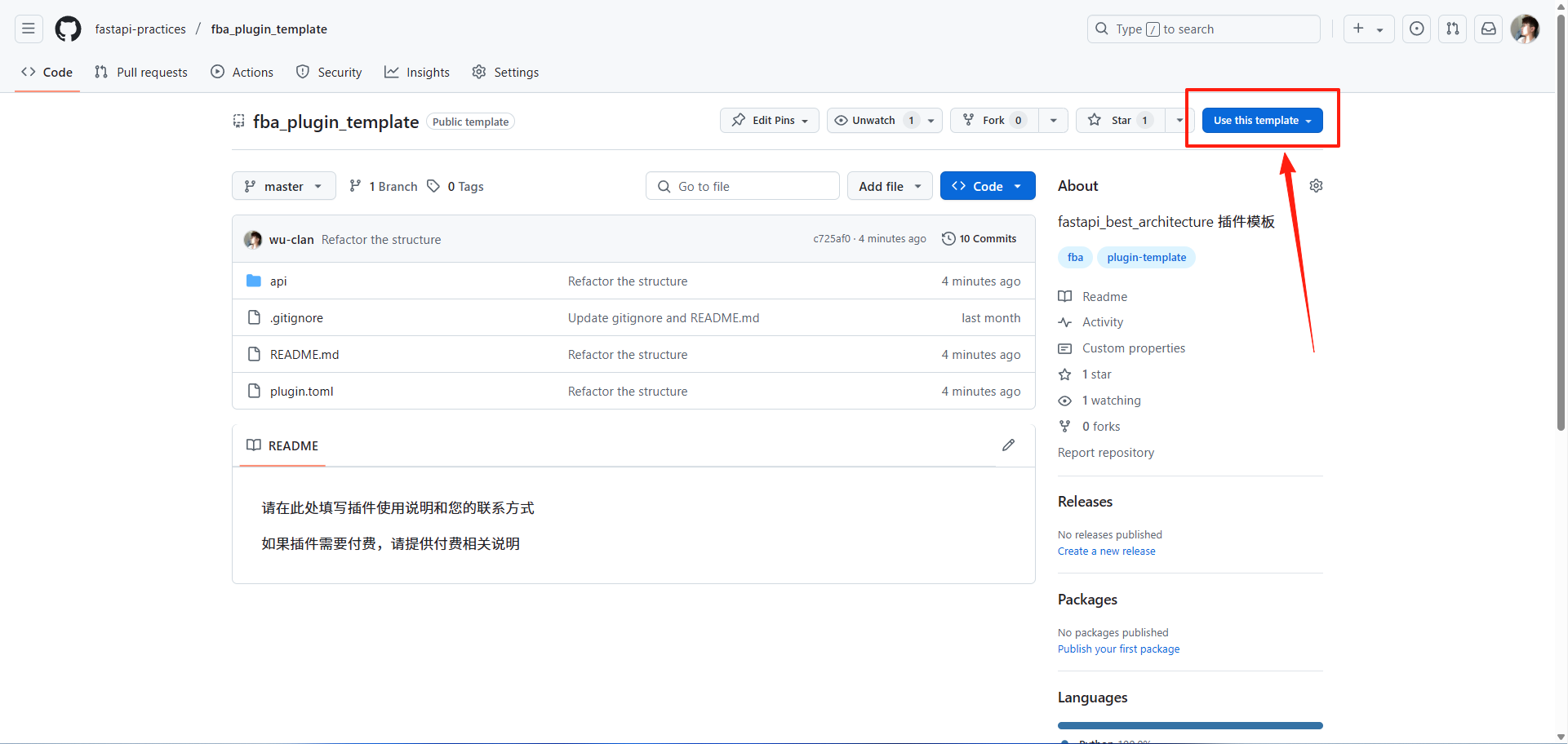
Upload the code
Commit all plugin code developed in fba to the newly created plugin GitHub repository.
Important
Copy all files inside the plugin directory, not the plugin directory itself.
Frontend
Plugin repository naming rules
plugin name == repository-name_ui→ai == ai_uiplugin name == repository-name-ui→ai-chat == ai-chat-ui
To distinguish frontend plugins from backend ones, frontend plugin repository names must use a _ui or -ui suffix.
Plugins are always unique. Installing plugins with the same name is not allowed, so keep plugin names as distinctive as possible.
Create a personal plugin repository
Prefer creating it from fba-ui-plugin-template, for the same reason as the backend.
Upload the code
Commit all plugin code developed in the frontend project to the newly created plugin GitHub repository.
Important
Copy all files inside the plugin directory, not the plugin directory itself.
Pre-Publish Checklist
Before publishing a plugin, confirm it meets these requirements:
- The plugin repository is public
- The repository name follows the naming rules in this document
- Backend plugin root contains
plugin.toml,README.md, and__init__.py - Frontend plugin root contains
plugin.toml - Plugin info in
plugin.tomlis complete, with a version inx.y.zformat - Fields such as
tags,database, anddepends_onfollow the Plugin Development docs - If the plugin includes models, provide init and destroy SQL for the corresponding databases
README.mdshould cover configuration, usage, uninstallation, and feedback channels- The plugin should not silently modify core files of the main project
Publishing a Plugin
To publish a plugin, open a PR against the fba plugins repository.
The fba team reviews against the pre-publish checklist and the plugin's actual purpose. Only after approval does the plugin appear in the Plugin Marketplace.
Tips
Plugins are always unique. If the plugin name already exists, you must choose a new name for the plugin you are about to publish.
Fork the repository
Open the fba plugins GitHub repository and fork it to your account.
Clone the repository
# Replace with the URL of the forked repository above
git clone https://github.com/your-username/plugins.git
Create a branch
# Replace add-your-plugin-branch
git checkout -b add-your-plugin-branch
Add a submodule
# Replace your-username and your-plugin-name
# Backend plugin: plugins/your-plugin-name
# Frontend plugin: plugins/your-plugin-name-ui or plugins/your_plugin_name_ui
git submodule add https://github.com/your-username/your-plugin-name.git plugins/your-plugin-name
git add plugins/your-plugin-name
Warning
All added submodules must use HTTPS URLs, not SSH URLs (git@github.com).
Commit and push
# Replace your-plugin-name
git commit -m "Add your-plugin-name plugin"
# Replace add-your-plugin-branch git push --set-upstream origin add-your-plugin-branchPR
Create a PR on GitHub.
Merge
The fba team will review as soon as possible. Once your PR is merged, the plugin is published to the Plugin Marketplace.
The marketplace assigns four groups automatically: Backend / Frontend from the repository name, Official / Community from the repository owner. Repositories that follow the frontend suffix rule go to Frontend; repositories under
fastapi-practicesgo to Official; everything else goes to Community.
Updating a Plugin
To update a plugin, open a PR against the fba plugins GitHub repository.
Follow the same steps as publishing, with these changes:
Update the commands in step 4
git submodule update --remote plugins/your-plugin-name
git add plugins/your-plugin-name
Update the commit message in step 5 — this is now an update, not an addition
Info
To automate this process, you can use GitHub Action.
Maintenance Responsibility
The marketplace helps users discover and install plugins, but maintenance remains the responsibility of the plugin author or their organization.
- Officially maintained plugins are maintained by the fba team or the fastapi-practices organization
- Community plugins are maintained by their authors
- Plugins that are long unmaintained, clearly risky, or no longer compatible with the current version may be marked, removed, or replaced with alternatives
- Plugin issues should preferably be reported to the corresponding plugin repository
- Issues related to the main project's plugin mechanism can be reported to the fba main project