

Timezone
We carefully designed a unified global timezone. Changing the global timezone is now simple: just update the timezone setting in backend/core/conf.py.
Caution
Once the timezone is set, strongly avoid changing it later — otherwise persisted datetime data may become inconsistent!
Architecture Usage
Wherever you need time in the architecture, use the methods provided in backend/utils/timezone.py instead of calling datetime modules directly.
Database
Handling timezones in the database is painful. There are three common approaches:
- Store and read everything as UTC; convert on the frontend (good for internationalization)
- Store and read everything in the current timezone; convert based on the timezone sent by the frontend (good for localization)
- Store everything as numeric timestamps; convert on the frontend (hard to manage, but easy to operate)
Consider this classic case:
Group chat
2025-08-26 12:44:00

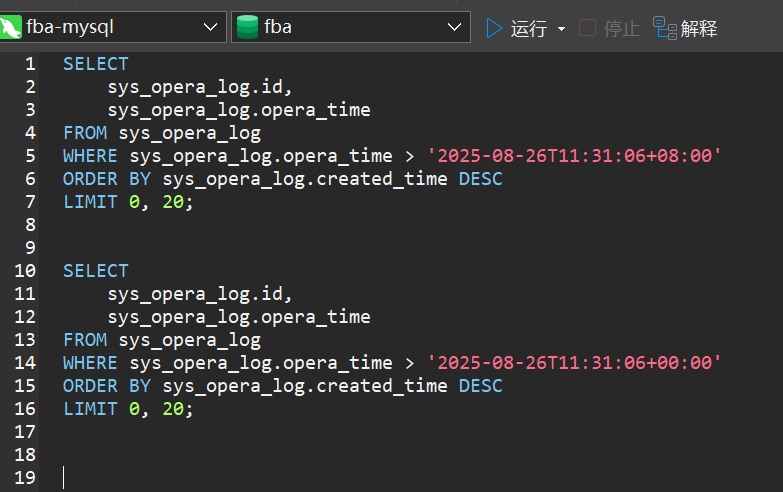
For this reason we use the second solution and created a custom TimeZone type. See backend/common/model.py for more details.